
To hide media cables before finishing your wall, plan device placement and route cables through wall studs with fish tape or wire pullers. Install wall boxes or outlets for easy access later. Use shielded, fire-rated cables designed for concealed wiring, and hide them behind drywall using wall plates or outlets. For surfaces, attach cord covers or raceways that blend with your walls. Keep cables organized and secure. Stay tuned to discover more tips for a sleek, professional finish.

Get furniture and decor delivered free with Prime
- Fast, free delivery on millions of items
- Prime Video, Amazon Music and more included
- Member-only deals all year
Key Takeaways
- Plan device placement and cable routes to ensure minimal wall modifications and easy access later.
- Use fish tape or wire pullers to guide in-wall rated cables through studs safely.
- Install wall boxes or outlets for concealed cable access and neat organization.
- Employ wall plates and outlet covers to hide cables behind drywall seamlessly.
- Consider surface raceways or cord covers for quick, non-invasive cable concealment along walls.
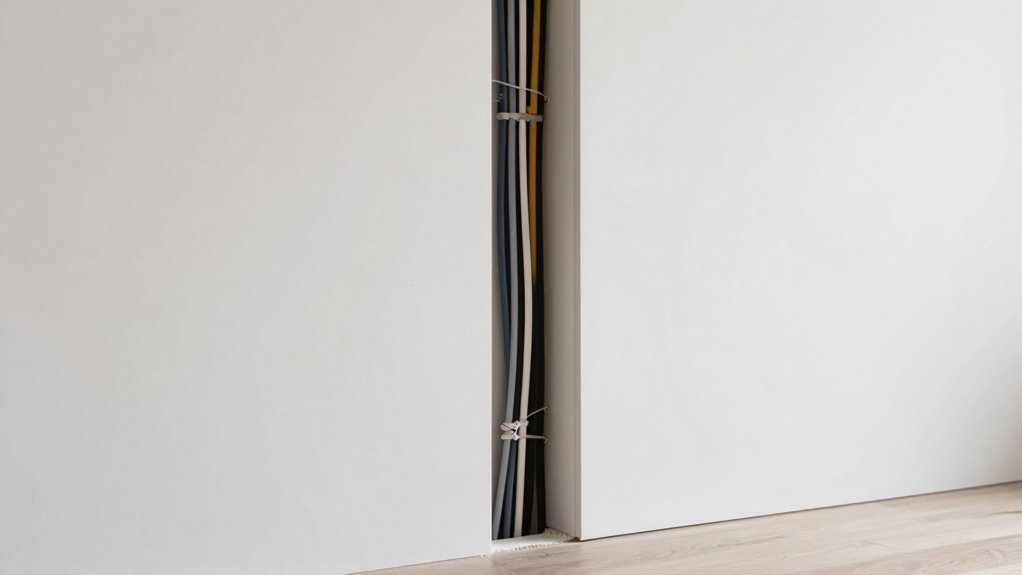
Hiding media cables can transform your living space, making it look cleaner and more organized. When you take steps to conceal those unsightly cords, your room feels more polished, and your equipment looks more intentional. As more people embrace wireless streaming, the need for cumbersome cables decreases, but some wiring is often unavoidable, especially for power sources or wired connections. To maximize your cable management efforts, consider how you route and hide these cables before you finish the wall, guaranteeing a sleek, clutter-free appearance.
Start by planning your layout carefully. Know exactly where your TV, sound system, gaming consoles, or other devices will go, and map out the shortest, cleanest routes for your cables. This planning stage is essential because once you close up the wall, making adjustments becomes difficult. If you’re installing a wall-mounted TV, use a wall plate with built-in cable management features. These plates allow you to run cables through the wall cavity, keeping them hidden behind the drywall. This approach is especially effective for hiding power cords and HDMI cables, giving your setup a seamless look.
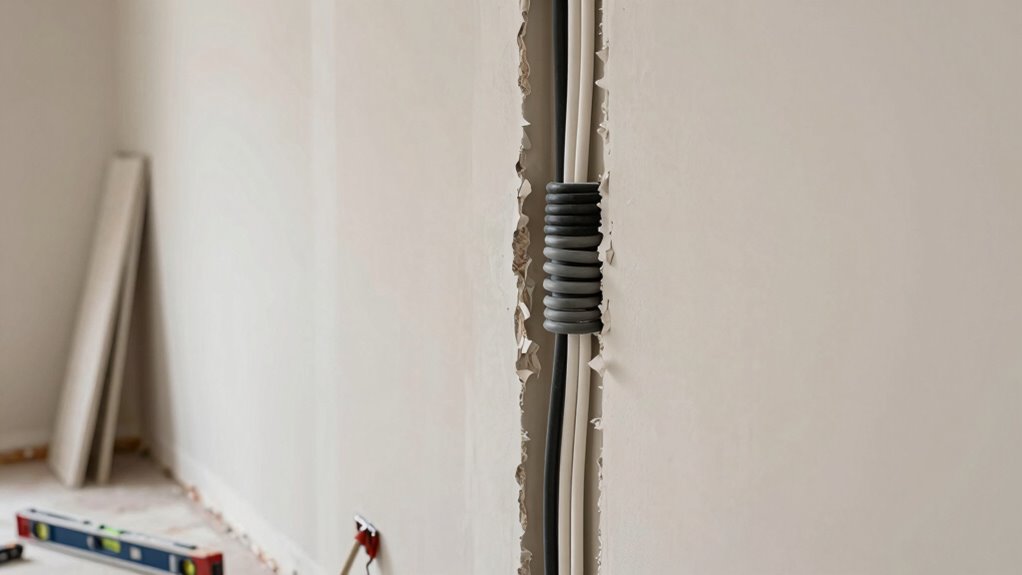
Before you start wall installation, consider investing in in-wall rated cables designed specifically for concealed wiring. These cables are shielded and fire-rated, making them safe to run inside the wall cavity. When running cables, use fish tape or a wire puller to guide them through the wall stud spaces efficiently. This process minimizes the risk of damaging drywall or the cables themselves. Once the cables are routed, you can install a wall box or outlet that keeps everything concealed. This setup not only hides the cables but also makes future access and adjustments easier. Additionally, ensuring proper cable routing can prevent tangling and damage over time, prolonging the lifespan of your wiring. Proper cable management is crucial for maintaining a safe and organized setup. Incorporating cable clips or ties can further secure your cables and keep them neat along the wall or behind furniture. To further improve your setup, consider using concealed wiring techniques that keep everything hidden without extensive wall modifications.
If your goal is to improve cable management without extensive wall work, consider using cord covers or raceways. These are plastic or metal channels that attach directly to the wall surface, disguising cables in a neat, organized manner. They’re especially useful for running cables along baseboards or entertainment centers where wall modifications aren’t practical. For a more streamlined look, choose paintable covers that blend seamlessly with your wall color. Additionally, selecting wireless solutions for media devices can reduce the number of cables needed, further enhancing the clean appearance of your space.
While wireless streaming reduces the number of cables needed, it doesn’t eliminate all wiring, especially for power. By hiding cables before finishing the wall, you guarantee that your media setup looks intentional and clutter-free. Thoughtful planning, proper routing, and discreet concealment methods make it easier to maintain a clean, organized space—one where cables are hidden, and your devices shine.
Products Worth Considering

Dyson Ball Animal 3 Corded Upright Vacuum

Bose TV Speaker Compact Soundbar with Bluetooth and HDMI-ARC, Black

Bose TV Speaker (2nd Gen) Compact Soundbar with Bluetooth and HDMI Connectivity
As an affiliate, we earn on qualifying purchases.
Frequently Asked Questions
Can I Hide Cables Without Drilling Into the Wall?
Yes, you can hide cables without drilling into the wall. Use cable concealment solutions like adhesive cable clips or raceways that stick directly to the wall surface. For wall mounting, consider using furniture or TV mounts that hide cables behind or within them. These options keep your space neat without damaging the wall, making cable concealment simple and effective while maintaining a clean, organized look.
What Tools Are Needed for Hiding Media Cables?
You don’t need fancy tools for effective cable management and wall concealment. Basic items like a drill, stud finder, measuring tape, and a drywall saw are essential. A cable clip or conduit helps keep cables organized and hidden, while a level guarantees neat installation. These tools make hiding media cables straightforward, even if you’re new to wall concealment. With the right equipment, you’ll achieve a clean, professional look easily.
How Long Does It Take to Hide All Cables?
Hiding all cables with wall concealment and cable management takes about a few hours to a full day, depending on your space’s complexity. You’ll need to plan carefully, measure, and organize cables beforehand. If you’re experienced, it might take less time, but for a thorough, clean look, allocate enough time for proper installation and concealment. Patience guarantees your media setup stays tidy and visually appealing.
Are There Any Safety Concerns When Hiding Cables?
Yes, there are safety concerns when hiding cables. You should guarantee proper cable insulation to prevent electrical shocks, and avoid overloading circuits, which can lead to fire hazards. Always use the correct gauge wiring and keep cables away from heat sources or moisture. Regularly inspect hidden cables for damage or wear. Taking these precautions helps prevent accidents and keeps your home safe while hiding media cables.
Can I Hide Cables With Existing Furniture?
Yes, you can hide cables with existing furniture by using furniture concealment and cable management solutions. Tuck cables behind or underneath your furniture, such as entertainment centers or shelves, to keep them out of sight. Use cable clips, raceways, or sleeves to organize and secure the cords. This approach not only hides the cables effectively but also maintains a clean, clutter-free look without needing to modify your current furniture setup.
Conclusion
By hiding media cables, you create a clean, clutter-free space, a sleek, streamlined look, and a sense of calm. You eliminate tangles, reduce distractions, and boost your room’s aesthetic appeal. You make your space safer, more organized, and more comfortable. Ultimately, you transform chaos into order, clutter into clarity, and mess into masterpiece. With a little effort, you’ll enjoy a polished, professional finish that feels just right—because when cables are hidden, your room is truly complete.