
TL;DR

Get furniture and decor delivered free — and shop member deals
- Fast, free delivery on millions of items
- Access to Prime Big Deal Days deals on October 6–7
- Prime Video, Amazon Music and more included
Prebuilt AI workstations now often match or beat DIY builds on price thanks to component shortages and bulk buying. They offer faster setup, validated hardware, and support, making them attractive for quick deployment. DIY remains ideal for maximum control and customization if you enjoy tuning and troubleshooting.
Imagine plugging in a machine and starting your AI project in minutes. No fuss, no compatibility worries. That’s the promise of prebuilt AI workstations today. But if you enjoy tinkering, building might still appeal—yet the landscape has shifted.
In this article, you’ll learn why, in 2026, the decision isn’t just about saving money or time. It’s about balancing cost, control, and confidence in your setup. Let’s explore what makes each option tick—and which might be right for you.
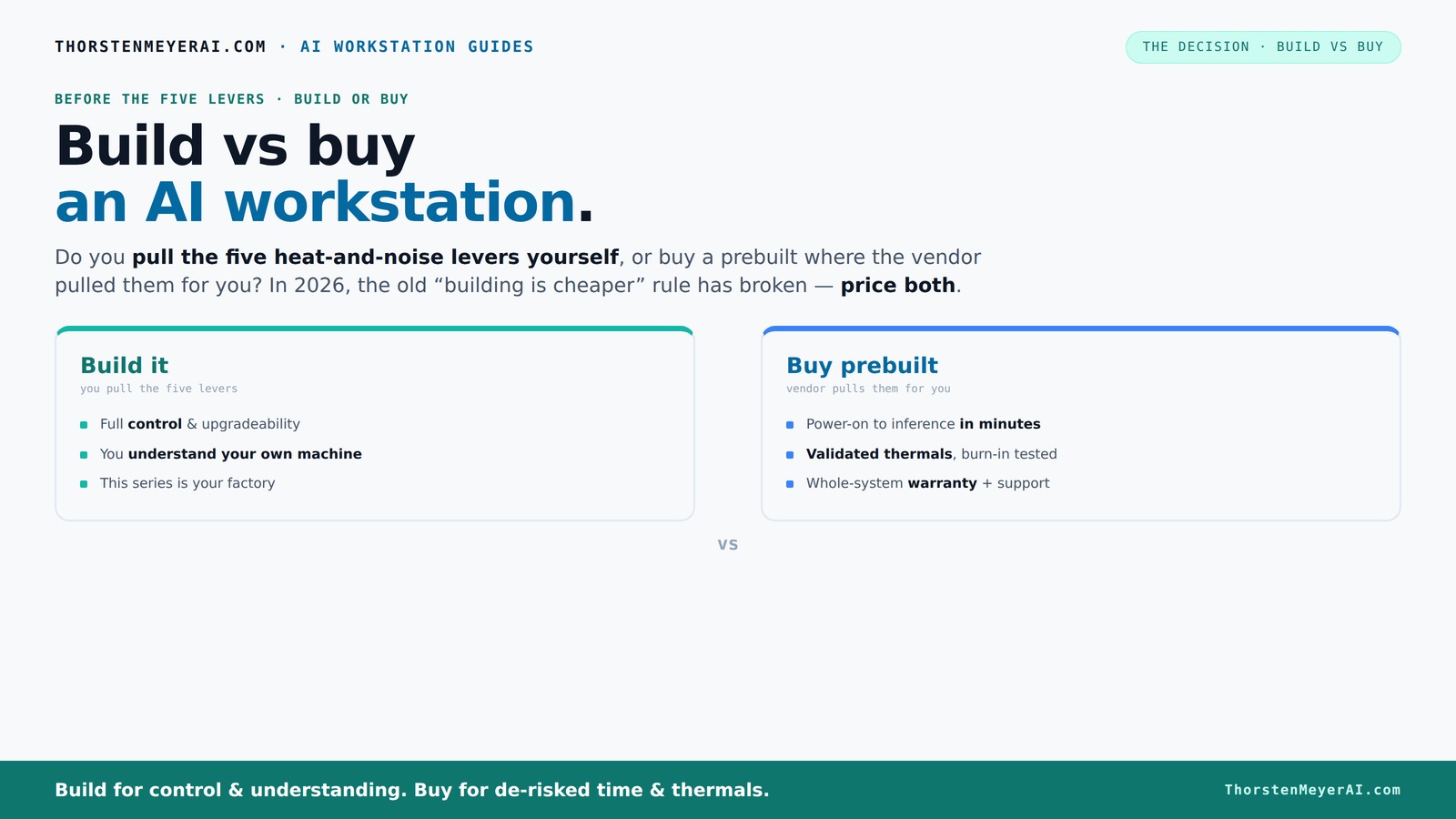
Build vs buy
an AI workstation.
The real question behind this whole series: do you pull the five heat-and-noise levers yourself, or buy a prebuilt where the vendor pulled them for you? And in 2026, the old “building is cheaper” rule has broken. Match your situation in Part 3.
Key Takeaways
- Prebuilt AI workstations often match or beat DIY costs in 2026 due to component shortages and bulk buying.
- Buying prebuilt saves time with validated hardware, pre-installed software, and warranty support, ideal for immediate productivity.
- DIY remains the choice for maximum control, customization, and upgradeability—best for hobbyists or specific workflows.
- Support and warranty can reduce downtime and troubleshooting costs, making prebuilts attractive for mission-critical projects.
- Always compare exact configurations and total costs—price alone doesn’t tell the whole story in the current market.
As an affiliate, we earn on qualifying purchases.
Why 2026 Changes Everything About Building vs Buying
The old rule was simple: build your own and save money. But in 2026, that’s no longer true. Component shortages and rising prices have made DIY builds more expensive and unpredictable. For example, a high-end GPU that used to cost $800 now runs over $1,200, and DDR5 RAM climbs even higher.
Meanwhile, prebuilt vendors buy in bulk early, lock in lower prices, and test their machines thoroughly. They ship systems that are ready to run, with validated thermals and warranty support. Sometimes, their prices are even lower than assembling the parts yourself.
This flips the script. Now, it’s crucial to compare exact configurations and see which option makes sense on your budget and timeline. Price no longer favors DIY automatically—sometimes, buying prebuilt is the smarter move.
As an affiliate, we earn on qualifying purchases.
The Five Levers of a High-Power AI Workstation—and Who Handles Them
Building or buying, your goal is to keep the machine cool, quiet, and reliable under load. These are the five levers: build vs buy a prebuilt AI workstation—and who handles them.
- Undervolt the GPU
- Match the cooler to the GPU
- Fix case airflow
- Tune the fans
- Place the system well
Prebuilt vendors handle all of this at the factory—testing, tuning, and validating. They use water-cooling, custom airflow, and specialized fan curves to keep noise low and temps stable, even during intensive AI training. When you build yourself, you pull these levers—tuning each component to your specific workload.
For example, a vendor like Lambda tests their multi-GPU systems for hours under load, guaranteeing performance without throttling. DIY builders can achieve this too, but it takes time, expertise, and trial-and-error.
As an affiliate, we earn on qualifying purchases.
Prebuilt vs DIY: Which Saves You Time and Hassle?
If speed matters, prebuilt AI workstations often win. You unbox, turn on, and start your work. No sourcing parts, no BIOS fiddling, no compatibility worries. For example, a system from Puget Systems arrives with CUDA, PyTorch, and TensorFlow preinstalled, ready for inference or training.
In contrast, building your own machine can take days or weeks—ordering parts, waiting for delivery, assembling, troubleshooting driver conflicts, and tuning. If your project has a tight deadline, the prebuilt route might make more sense.
Plus, prebuilt vendors validate their hardware—ensuring it won’t throttle or overheat under load. This means fewer surprises and less downtime.
AI workstation with validated hardware
As an affiliate, we earn on qualifying purchases.
As an affiliate, we earn on qualifying purchases.
Cost Comparison: Is Building Still Cheaper?
In 2026, building your own AI workstation isn’t always cheaper. Component prices have surged—GPU prices are up 30-50% from last year. A typical DIY build with a RTX 4090, 64GB DDR5, and a high-end CPU now costs around $2,500 to $3,000, depending on parts. For more insights, visit dealsnbuy.com.
Meanwhile, prebuilt systems with similar specs often hit the same price point or even less. For example, a BIZON system with dual GPUs and enterprise cooling might cost around $2,800 but includes validated performance, warranty, and support.
So, run the numbers. For some configurations, the bulk discounts and testing in prebuilts make them a better deal overall.
Control and Customization: Why DIY Still Matters
If you want total control—selecting every component, tuning every setting, and upgrading easily—building remains king. You choose the GPU, CPU, cooling, case, and power supply. Want a quiet case with sound-dampening foam? You pick it.
For example, you might opt for a specific NVIDIA A100 GPU, an open-loop cooling system, or a custom power delivery setup. This level of control is difficult to match with prebuilt systems, which often use proprietary parts or limited options.
Plus, DIY builds make it easier to upgrade later—swap out a GPU or add more RAM without vendor constraints.
Support, Warranty, and Long-Term Reliability
Prebuilt vendors offer warranty packages—sometimes up to five years—and dedicated support. If your system crashes mid-training or thermal issues crop up, you call one number and get help. That’s a huge advantage for teams or businesses.
DIY builds require you to troubleshoot hardware and software problems yourself or hire specialists. While you save money on parts, you assume the risk of downtime and repair delays.
For instance, Lambda’s systems undergo extensive testing before shipment, reducing the chance of surprise failures. That peace of mind can be worth a premium, especially if your AI project is mission-critical.
Best Use Cases for Build and Buy in 2026
Building makes sense if you’re an enthusiast, a researcher, or need a highly customized setup. Hobbyists enjoy tuning their own systems, and control over components lets you optimize for specific workloads.
Prebuilt suits professionals, small teams, or anyone who values quick deployment, reliable performance, and support. For example, a startup needs to spin up multiple AI servers quickly—buying prebuilt can save days of setup time.
Hybrid approaches also exist: buy the core system prebuilt, then upgrade components over time as needed.
Resale Value and Upgrade Paths
Prebuilt systems often hold their value better because they come with documented components and support. Upgrading a prebuilt is easier if it uses standard parts—though some OEMs lock proprietary hardware behind barriers.
DIY builds can be upgraded freely, but they may be harder to resell if the components are outdated or proprietary. Still, the flexibility can be a plus for long-term planning.
When considering resale, think about how easily parts can be swapped and how well the system retains performance over time.
Final Thoughts: Which Should You Pick?
If your priority is getting AI work done fast, reliably, and with support, a prebuilt is likely the best choice. They’re tuned, tested, and come with warranties—perfect for professionals and teams.
But if you crave control, customization, and enjoy the process, building your own rig still offers unmatched flexibility. Just remember: in 2026, the choice isn’t purely about saving money—it’s about balancing speed, control, and peace of mind.
So, what’s your workflow? Are you ready to tinker or do you want to plug in and go?
Frequently Asked Questions
Is it cheaper to build or buy a prebuilt AI workstation?
In 2026, component prices have shifted so that prebuilts often match or beat DIY prices, especially with bulk discounts. Always compare specific configurations before deciding.Will a prebuilt AI workstation perform as well as a custom build?
Yes, reputable vendors validate their systems for thermal performance and stability, often exceeding DIY results when it comes to sustained workloads.Which GPU should I get for AI work: NVIDIA or AMD?
NVIDIA dominates AI workloads with CUDA and a broad software ecosystem. For most AI tasks in 2026, an NVIDIA RTX 4090 or A100 is the standard choice.Do I need an NPU for AI workloads, or is the GPU enough?
GPUs handle most AI tasks well, but some specialized workloads can benefit from dedicated NPUs. It depends on your specific use case.Are prebuilt workstations better for beginners?
Generally, yes. They come ready to run, with support and validated hardware, making them less intimidating for newcomers.Conclusion
Choosing between building and buying a high-powered AI workstation is no longer just about saving pennies. It’s about aligning your workflow, risk tolerance, and technical skills with your budget.
In 2026, the smart move depends on whether you prefer immediate deployment or long-term control. Either way, the right setup can power your AI ambitions—just pick the path that fits your style, and get ready to innovate.
Fall Picks
fall essentials
As an affiliate, we earn on qualifying purchases.