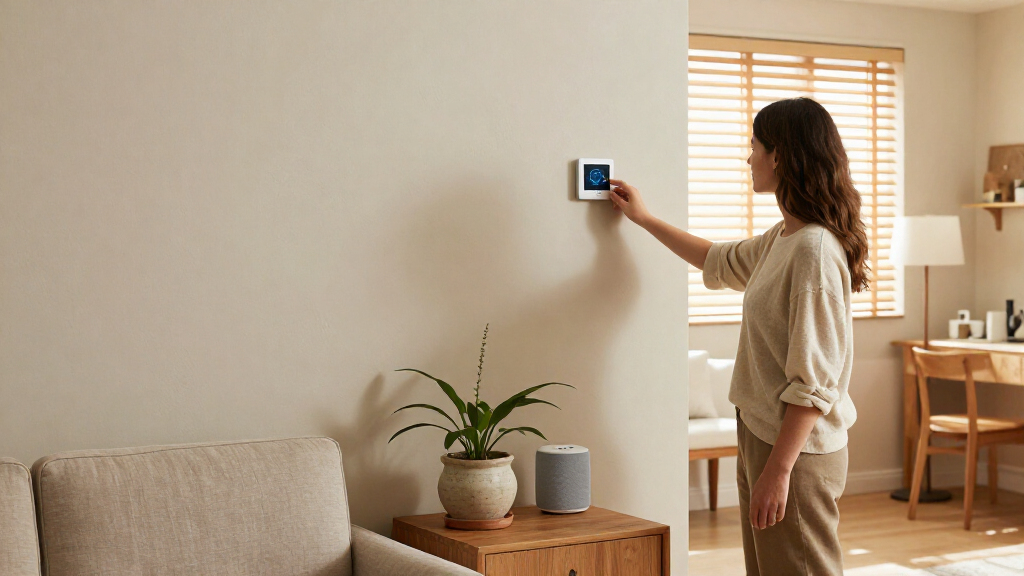

Choosing smart home automation is less about deciding whether to automate your home and more about deciding who should plan and maintain the system. DIY devices let you add bulbs, sensors, locks, speakers, and routines gradually, often with modest upfront spending. A professionally installed system is planned as a whole, with an integrator selecting compatible equipment, configuring it, and often providing ongoing support.

Get furniture and decor delivered free with Prime
- Fast, free delivery on millions of items
- Prime Video, Amazon Music and more included
- Member-only deals all year

Home Assistant Green Smart Home Hub with Advanced Automation
- ✔ Operating system: Home Assistant OS
- ✔ Processor: Quad-core
- ✔ Memory: 4 GB RAM

Echo Hub – 8" Smart Home Control Panel
- ✔ Display: 8-inch touchscreen, 1280 × 800
- ✔ Wireless compatibility: Wi-Fi, Bluetooth, Zigbee, Thread, Matter and Amazon Sidewalk
- ✔ Voice control: Alexa voice control and routines

SONOFF NSPanel Pro 120 Smart Control Panel
- ✔ Display: 4.7-inch touchscreen
- ✔ Smart home radio: Built-in Zigbee gateway
- ✔ Camera viewing: Live view for up to four camera types
The practical tradeoff is control and cost versus coordination and service. DIY is usually the better starting point for renters, curious users, and households comfortable troubleshooting apps and Wi-Fi. Professional installation makes more sense when you want lighting, climate, security, and entertainment to work together across a larger home, or when you prefer someone else to manage setup. Neither route guarantees compatibility or reliability: the result depends on products, network quality, and how carefully the system is designed.
At a Glance
| Criteria | DIY smart home devices | Professionally installed smart home systems | Winner |
|---|---|---|---|
| Upfront cost | Lower initial spend; add devices over time | Higher project cost, often including labor and coordination | A |
| Installation and setup | Self-installed and configured through apps | Integrator plans, installs, and configures the system | B |
| Compatibility and integration | Varies by brand, platform, and device support | Can be coordinated across subsystems, subject to chosen products | Depends |
| Control and customization | Broad direct control, with platform and app limits | Customization shaped by design, equipment, and provider | A |
| Reliability and troubleshooting | Owner diagnoses device, Wi-Fi, and software issues | Installer may provide support or maintenance under an agreement | B |
| Privacy and data control | Depends on each manufacturer and service settings | Depends on brands, remote access, and provider practices | Depends |
| Long-term flexibility | Easy to add or replace individual devices | Changes may require installer assistance or compatible components | A |
Home Assistant Green Smart Home Hub with Advanced Automation
For buyers who want the automation system to be the center of the decision, Home Assistant Green is the most capable foundation in this group. It arrives with Home Assistant OS installed, so the hardware is ready to run the platform without a separate operating-system installation. Its quad-core processor, 4 GB RAM and 32 GB storage provide a dedicated base for managing a smart home, while official Nabu Casa support means firmware updates come from the organization behind the platform.Its edge over the Echo Hub is that Green is a hub first, rather than a screen-first Alexa control surface. USB expansion lets us add radios for Z-Wave, Zigbee or Thread, which can help bring devices using different protocols into a Home Assistant setup. The Echo Hub has more of those radio standards built in and provides an immediate touchscreen dashboard, so it is easier for someone who wants visible controls without assembling a hub setup. Green trades that convenience for a platform suited to buyers who want to configure their own automations.There are practical constraints. The hub requires wired Ethernet and has no built-in Wi-Fi, so its location needs to work with a network cable. Its two USB ports also limit the number of peripherals we can attach directly. Compared with the compact SONOFF NSPanel Pro 120, Green offers more of a central automation base and less of an at-a-glance room control panel. We would choose it for a home where customization matters more than having a touchscreen on the wall.
Pros:
- Home Assistant OS is pre-installed for a direct start with the platform.
- Official Nabu Casa support provides firmware updates.
- Fanless operation is silent and uses only a few watts.
- USB expansion can add Z-Wave, Zigbee or Thread radios.
Cons:
- Wired Ethernet is required; Wi-Fi is not built in.
- Two USB ports limit directly connected accessories.
Best for: We recommend it for buyers who want Home Assistant as a dedicated automation hub and are comfortable planning wired networking and any needed USB radio expansion.
Not ideal for: We would skip it if we need built-in Wi-Fi, an integrated touchscreen dashboard, or a hub that already includes every required wireless radio.
Bottom line: We rank Green first for its dedicated, expandable automation foundation, provided Ethernet and radio expansion fit the home.
“We rank Green first for its dedicated, expandable automation foundation, provided Ethernet and radio expansion fit the home.”
Echo Hub – 8" Smart Home Control Panel
The Echo Hub makes the most sense when we want smart home controls to be easy to find and operate from one fixed location. Its 8-inch touchscreen lets us arrange and resize controls into a personal dashboard, turning lights, routines and other compatible devices into visible choices. For a household where not everyone wants to issue voice commands, that shared panel can make routine interactions more straightforward than relying on a phone or spoken prompts.As an automation device, its strength is the breadth of connectivity in one unit: Zigbee, Thread, Matter, Bluetooth, Wi-Fi and Amazon Sidewalk are listed, alongside Alexa routines and voice control. That reduces the need to add a separate radio for several common smart home standards, unlike Home Assistant Green, which uses USB expansion for Z-Wave, Zigbee and Thread. Ring camera event summaries add a security-oriented use, and wall mounting or compatible power options can help place the panel where household members will see it.The tradeoff is ecosystem focus. Echo Hub is most compelling for people already using Alexa and Ring; buyers choosing Home Assistant as their main platform may prefer Green’s dedicated automation role. It is stationary, and PoE requires a compatible converter that is not included. Some Bluetooth profiles are also unsupported. The 1280 × 800 display and stereo speakers make this a useful shared interface, but they do not make it a portable controller. We rank it second because it pairs broad built-in connectivity with accessible controls, while its best experience depends more heavily on Alexa.
Pros:
- Customizable 8-inch touchscreen makes common controls visible.
- Built-in support includes Zigbee, Thread, Matter, Wi-Fi and Bluetooth.
- Alexa routines and Ring camera event summaries suit security-focused homes.
- Can be wall mounted and supports USB-C power or compatible PoE accessories.
Cons:
- PoE and cable-management accessories are not included.
- Stationary design is not suitable as a handheld controller.
- Some Bluetooth profiles and PIN-code speakers are unsupported.
Best for: We recommend it for Alexa households that want a shared wall-mounted dashboard, voice routines and integrated support for several smart home protocols.
Not ideal for: We would skip it if we need a portable panel, want a platform-neutral hub at the center of our automation, or require PoE without buying an additional converter.
Bottom line: We choose Echo Hub when a visible Alexa dashboard and broad built-in connectivity matter more than platform independence.
“We choose Echo Hub when a visible Alexa dashboard and broad built-in connectivity matter more than platform independence.”
SONOFF NSPanel Pro 120 Smart Control Panel
The SONOFF NSPanel Pro 120 is for buyers who want useful smart home information on a dedicated screen without making an 8-inch dashboard the center of a room. Its 4.7-inch touchscreen is described as a place to control lighting, adjust thermostats, monitor energy use and view live camera feeds. That mix makes it a compact control point for recurring household actions, rather than a general-purpose automation hub with the detailed hardware specifications supplied for Home Assistant Green.The panel’s built-in Zigbee gateway gives it a direct role in connecting compatible devices. It can also show live views for up to four cameras, and its stated compatibility includes Alexa, Google Assistant, Apple HomeKit and Home Assistant. Compared with Echo Hub, this is a smaller screen with a more compact panel role; Echo Hub offers an 8-inch customizable dashboard and a longer list of built-in wireless protocols. Compared with Green, SONOFF provides a display and controls at the device itself, while Green is the more clearly specified expandable hub for a larger automation setup.We place it third because the supplied description highlights practical control features but gives less detail about networking, power, processor and the specifics of those assistant integrations. Its camera viewing is limited to four camera types, and the compact physical form may feel fragile with frequent use. Those limitations matter if we expect the panel to be the primary interface for a busy home. It is a better fit when we value a smaller touchscreen and Zigbee access, and do not need Green’s platform-first approach or Echo Hub’s larger, protocol-rich dashboard.
Pros:
- 4.7-inch touchscreen puts common home controls within reach.
- Built-in Zigbee gateway supports compatible device control.
- Can display energy information and live feeds from up to four cameras.
- Listed compatibility includes Alexa, Google Assistant, Apple HomeKit and Home Assistant.
Cons:
- Live camera support is limited to four camera types.
- Small construction may feel fragile with frequent interaction.
- Supplied details provide limited information about connectivity and power.
Best for: We recommend it for buyers who want a compact fixed touchscreen for lighting, thermostat adjustments, energy checks and supported live camera views.
Not ideal for: We would skip it if we need a large customizable dashboard, extensive published hardware details, or live monitoring across more camera types.
Bottom line: We recommend the NSPanel Pro 120 for compact, screen-based access to Zigbee devices and selected home information.
“We recommend the NSPanel Pro 120 for compact, screen-based access to Zigbee devices and selected home information.”
As an Amazon Associate we earn from qualifying purchases.
Key Differences
The clearest difference is who carries the work and responsibility. With DIY devices, you choose products, check that they work with your platform, install them, and keep their apps and firmware in order. That can save money and gives you room to learn by adding one room at a time. It also means that when a sensor stops responding or a routine breaks after an update, you are usually the first person diagnosing the cause.
A professional system shifts much of that planning and setup to an integrator. This can be valuable when several subsystems need to cooperate, when equipment is built into a renovation, or when you want a support contact. The higher cost buys expertise and service, not automatic perfection: ask what equipment is included, how changes are handled, and what support continues after installation. For many households, a sensible middle ground is to use DIY devices for simple tasks and hire help only for wiring, network planning, or a complex whole-home project.
Detailed Comparison
Upfront cost (DIY smart home devices wins — major)
DIY wins by a major margin for simple setups. You can start with a few bulbs, plugs, or sensors and expand when useful, avoiding a large project fee. A professional system adds planning and labor costs, which may be justified across a large installation but can be hard to recover for a handful of devices. Compare the full equipment and service quote with the DIY parts list; a low device price can still grow if you buy replacements or overlapping hubs.
Installation and setup (Professionally installed smart home systems wins — moderate)
Professional installation wins for convenience; the gap is moderate. An integrator can configure equipment and coordinate handoffs, reducing the setup burden on the homeowner. DIY setup is manageable for common wireless products, but each brand may bring its own app, account, and troubleshooting steps. Choose DIY if you enjoy configuring technology or have a small scope; pay for installation when the time, wiring, or coordination would outweigh the labor cost.
Compatibility and integration (moderate difference)
This depends on the system design, with a modest professional advantage for complex projects. A coordinated installation can be selected around shared control and planned interactions, but it still relies on specific products and supported connections. DIY products may work across common platforms, yet compatibility varies by model and software version. Before buying either way, confirm that each device supports the platform and routines you intend to use; logos on a box do not promise every feature works across brands.
Control and customization (DIY smart home devices wins — moderate)
DIY has a moderate edge for hands-on users. Owners can experiment with routines, swap devices, and adjust settings directly, though they may need to reconcile multiple apps and platform limits. Professional systems can offer a more unified control scheme, but changes may depend on the integrator or the system’s supported interfaces. If you like tweaking automations yourself, DIY is more liberating; if consistent controls matter more than constant experimentation, a designed system may suit you better.
Reliability and troubleshooting (Professionally installed smart home systems wins — moderate)
Professional support wins by a moderate margin when support is part of the contract. A planned network and an accountable installer can make it easier to find the source of a problem spanning multiple devices. DIY can be dependable too, particularly with a strong network and a simple setup, but diagnosis falls to the owner and manufacturers may point to one another when components interact. Check the service agreement: installation alone does not necessarily include future visits, remote monitoring, or prompt repair.
Privacy and data control (moderate difference)
There is no universal winner. DIY lets you choose products one by one, but each may send data through a separate cloud service. A professional setup may centralize controls, yet still use cloud accounts, remote access, or provider services. The practical choice depends on the specific devices and settings: review what data is collected, whether local control is available, how accounts are secured, and whether remote access can be disabled without losing features you need.
Long-term flexibility (DIY smart home devices wins — moderate)
DIY wins by a minor to moderate margin. Individual devices are easy to replace or add, and you can stop expanding without having paid for a full system. A professionally designed installation can be expandable, but changes may need to fit the selected hardware or involve paid integrator work. Ask about supported upgrades and what happens if the installer is no longer available. DIY is the safer fit when you expect to move, experiment, or change brands.
DIY smart home devices: Pros and Cons
Pros:
- Lower initial cost and gradual expansion
- Direct control over product choices and routines
- Easy to move or replace individual devices
- Good fit for renters and small projects
Cons:
- You handle compatibility checks and setup
- Troubleshooting can span several apps and manufacturers
- Product support and cloud policies vary by brand
- A piecemeal system may feel fragmented
Professionally installed smart home systems: Pros and Cons
Pros:
- Planning and installation can reduce setup work
- A single project can coordinate multiple home systems
- Support may be available through an integrator
- Useful for wiring, renovations, and larger homes
Cons:
- Higher upfront cost, often with ongoing service costs
- Some changes may require the installer
- Features and flexibility depend on the selected system
- A polished installation still depends on equipment and network quality
Who Should Choose What
Choose DIY smart home devices if:
- You want to automate one room or a few everyday tasks without a large project budget.
- You rent, may move, or want portable devices you can take with you.
- You are comfortable checking compatibility, configuring apps, and troubleshooting basic network issues.
- You want to experiment with routines and choose or replace devices at your own pace.
Choose Professionally installed smart home systems if:
- You are coordinating lighting, climate, security, shades, or entertainment across a larger home.
- You are renovating or building and need equipment planned alongside wiring and network infrastructure.
- You value a unified interface and a clear support contact more than minimizing upfront cost.
- You have limited time or interest in maintaining a collection of devices and services.
Skip both if: Skip a large system if you only need a single basic function that a standalone timer, smart plug, or thermostat can handle. Avoid committing to either approach until you have checked device compatibility, internet and Wi-Fi coverage, and the provider’s support terms.
Value for Money
DIY is the better value for most small and medium setups because it lets you buy only what solves a real problem. Paying for a professional system is worth it when planning, wiring, coordination, or ongoing support would save meaningful time or prevent costly mistakes across a larger project. Compare total ownership cost, including hubs, subscriptions, network upgrades, installation, and service visits. A premium quote makes sense when it covers work and support you will actually use; paying more for a polished interface alone is harder to justify if a few well-chosen devices meet your needs.
Final Verdict
For most households exploring smart home automation, start with DIY devices and expand only after you know which routines matter. That route costs less, stays flexible, and avoids paying for capacity you may never use. Choose a professionally installed system when the project spans multiple systems or rooms, connects to renovation work, or you want a provider to take responsibility for setup and support. The deciding factor is how much coordination and maintenance you want to own: DIY offers better value and control for modest needs; professional installation earns its premium when the home and service expectations are complex.
Frequently Asked Questions
Can DIY smart home devices work together across brands?
Sometimes. Compatibility depends on the specific models, supported platform, and features you want to use. Check that each device supports the same control platform and confirm that routines can use the interactions you need before purchasing.
Is professional installation worth the extra cost?
It can be for a larger home, renovation, or system that spans lighting, climate, security, and entertainment. For a few wireless devices, the installation fee often buys convenience you can get by setting them up yourself.
Which approach is easier to maintain?
A professional system may be easier if the integrator offers ongoing support and the service terms are clear. DIY avoids dependence on an installer, but you handle updates, account settings, and troubleshooting yourself.
Which option gives better privacy?
Neither approach guarantees better privacy. Check what data each product collects, whether processing happens locally or in the cloud, and how remote access and account security are handled.